

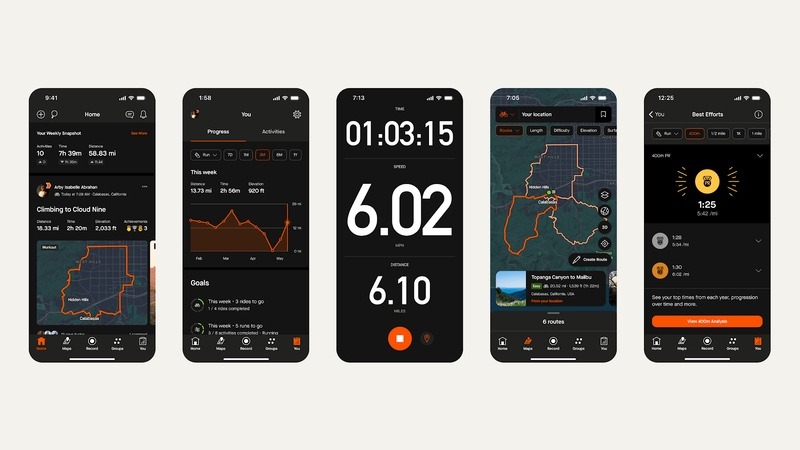
Strava, which now boasts a global community of more than 125 million athletes, has confirmed the general availability of dark mode on mobile for all Strava athletes. This comes less than 45 days after introducing it at the company’s annual event, Camp Strava.
Strava notes that this highly requested feature aims to improve the in-app experience by reducing eye strain and enhancing accessibility, whether athletes are recording an activity or scrolling through their feed.
Dark mode is particularly beneficial in low-light environments, such as evening or early morning outdoor activities. Additionally, this feature represents a shift in how athletes interact with the app, affecting every aspect from user interaction to readability.
Athletes can further personalize their Strava experience by choosing to keep their settings always dark, always light, or synchronized with their device settings.
Strava adds that the introduction of dark mode underscores a commitment to listening to its community’s feedback and delivering features that meet the evolving needs of athletes.
To turn on Strava’s dark mode:
- Ensure the latest version of the Strava app is being used
- Go to the ‘You’ tab
- Hit the settings icon at the top right of the screen
- Under the ‘Preferences’ section, go to ‘Appearance’
- Choose the desired selection: ‘Default’ (matching the athlete’s mobile setting); ‘Light’ mode; or ‘Dark’ mode